3.8
Free
PC Screen Capture
Free software to capture images within a computer screen

Warning
Based on our internal quality systems, this software could be either potentially malicious or may contain unwanted bundled software. We therefore recommend one of the alternatives below. By clicking on the Continue button, you agree to continue with the download at your own risk and Softonic accepts no responsibility in connection with this action.
Continue at your own risk
Free
Free software to capture images within a computer screen

Free
Capture your PC screen instantly and easily

Free
A Free Alternative To Your Windows Screen Print Option

Trial version
Efficient Screen Capture Tool for Windows

Free
A helpful program to try

Free
A simple tool to instantly capture your PC screen
Free
Windows
Windows XP
English
1.3M
2.79 MB

BeyondTV review: Turning a Windows PC into a DVR hub

A free program for Windows, by Donationcoder

An intuitive screen capturing tool
Quickly capture what’s on your screen

A free app for Windows, by Mobility in Life applications.
All-in-one screen capture suite with editing and publishing features

Efficient Screen Capture Tool for Windows

Functional screenshot tool and image editing utility
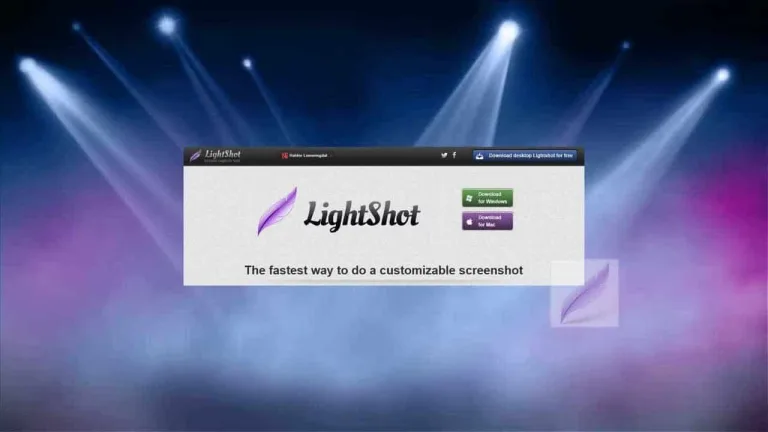
You will need to install the Lightshot screenshot tool, once installed you click on the PrntScr key on your keyboard. This screenshot tool was created before Microsoft added the “Windows Key” and “Print Scrn” function into Windows operating systems.
You are able to press “Windows Key” and “Print Scrn” on your keyboard right now and auto-save a bucnh find out screenshots to your computer. However, Lightshot allows you to take shots if smaller selected areas of your screen quickly. Plus, you may run similar-image searches, you may use the LightShot image editors, and you may share your screenshots quickly via the Internet.
You will need to contact the support team to remove the screenshot, do this by pressing the abuse button under the image, or you can email the support team at support@skillbrain.com.
You need to set up an account on the prntscr.com website in order to take screenshots using this tool. You may then find your images in either the Pictures folder on your computer, or the designated screenshot file that was generated when you installed this program. You may also upload your screenshots and find them online.
In order to copy a screenshot to the Windows Clipboard, you need to select a region to copy or screenshot and press Ctrl and C on your keyboard.
This screenshot tool supports bmp, jpg and png file formats. Jpg and Png are smaller file sizes that are more suitable for Internet use, and bmp files are more detailed and are better used for editing and photoshopping.
You are allowed to upload profanity, but the administrators will call attention to and remove whatever they consider to be “excessive” profanity. You are also not allowed to upload nudity, pornography, violent content, hatred-based content, or any content showing children or animals in any form of distress.
To use Lightshot on your Mac. If you are unable to take quick-save screenshots on your Mac as you are able to on your Windows device, then LightShot may be useful for you. I keep having problems with my Lightshot, what can I do
The hotkeys that are pre-installed are: Copy to clipboard - Ctrl and C Start shooting - prtscr Save as a file - Ctrl and S Maximize - Ctrl and A Close without shooting - Esc Cut - Ctrl and X Upload a screenshot - Ctrl and D Edit selected area online - Ctrl and E

A classic tool for simple capture
A simple tool to instantly capture your PC screen

Effortless screenshot capture with Snipping Tool

Record screen for free

A good choice for recording the screen!

Professional screen capture program

Screenshots with a little flair

Efficient Screen Capture with Acala Screen Recorder

Lightweight screenshot tool for Windows

Snatch pixels from your screen and convert into translucent tool images in PNG, GIF, ICO and TEA

Effortless Screen Capture with SnapaShot Pro